
Many companies already have an assortment, but no clear system for presenting it online. Products live in a price list, a PDF file, a presentation, an Excel sheet or simply in the manager’s memory. A client calls, asks the same questions, requests photos, specifications, sizes, options and delivery terms. The manager answers manually, sends files, checks availability and explains the difference between items again and again.
At some point it becomes clear: the business does not need just a website “about the company”. It needs a convenient catalog website where a visitor can browse products, choose a category, compare specifications, open a product card and send a request.
A catalog website sits between a corporate website and an online store. It presents the assortment, helps the customer understand the offer and collects enquiries, but it does not always need a cart, online payment or a full customer account.
For manufacturers, suppliers, B2B companies, furniture brands, food producers, equipment sellers and businesses with complex products, a catalog is often the most practical format. Especially when the purchase requires consultation, a custom quote or clarification of details.
At Estetic Web Design, we treat a catalog website not as a “showcase with product cards”, but as a working sales tool. Its task is not just to display an assortment, but to shorten the path from interest to enquiry.
When a Business Needs a Catalog Website, Not an Online Store
An online store is useful when the customer can choose a product, add it to the cart, pay and arrange delivery without a manager. This works well for clear products with fixed prices and a standard buying process.
But not every business sells in this way.
Some products depend on size, configuration, order volume, stock availability, delivery conditions, consultation, alternative selection or project-based calculation. In such niches, a “buy now” button often does not solve the task. The customer first needs to send a request, get advice, clarify the price or ask for a calculation.
A catalog website is suitable when:
- the company has a large assortment;
- products require explanations and specifications;
- the price depends on configuration, volume or conditions;
- sales are handled through a manager;
- wholesale, B2B or dealer models are important;
- the business needs to show products without online payment;
- the client first chooses and then submits a request;
- the assortment needs to be updated conveniently through an admin panel.
For example, a mattress manufacturer needs to show models, sizes, materials and collection features. A warehouse equipment supplier needs specifications, equipment types, rental or purchase options. A food producer needs assortment, photos, composition and delivery formats.
In all these cases, a catalog works better than a single “Products” page. One page quickly turns into a long list without proper navigation. A catalog gives the assortment a structure.
How a Catalog Website Differs from a Corporate Website and an Online Store
A corporate website presents the company, services, advantages, experience, team and projects. It helps build trust and receive enquiries. But if the company has many products or product lines, a classic corporate format soon becomes too limited.
An online store goes further: catalog, cart, payment, delivery, customer account and order statuses. It is a full e-commerce system.
A catalog website is somewhere between these formats. It presents the assortment almost as conveniently as an online store, but does not force the business to implement the entire e-commerce logic from day one.
| Website format | When it fits |
| Corporate website | When the goal is to present the company, services, experience and receive enquiries |
| Catalog website | When the business needs to show an assortment, specifications and collect requests |
| Online store | When products need to be sold online with cart, payment and delivery |
| Landing page | When one service, product or campaign needs a focused page |
A catalog can have a lot in common with e-commerce: categories, filters, product cards, search, sorting and SEO pages. But instead of “buy”, it often uses “request a price”, “get a consultation”, “request a quote”, “check availability” or “send enquiry”.
This is especially useful in B2B. A customer rarely buys immediately. They compare, discuss internally, clarify terms and prepare a request. The catalog helps them collect information without unnecessary calls.
Catalog Website Development Starts with the Assortment
A common mistake is to start with design. Visual style matters, but first you need to understand how the assortment is organized.
What categories are there? Are there subcategories? Which parameters does the customer use to choose a product: brand, size, material, purpose, capacity, weight, color, series, price, availability, industry or application? Are there similar products? Should the website show alternatives? Are there documents, manuals, certificates or PDF files?
Without this work, the catalog easily becomes chaotic. Products are added, cards exist, photos are uploaded – but the customer still does not understand how to find the right item.
Before development, it is worth answering a few practical questions:
- how many categories will be needed at launch;
- how many products must be added;
- which specifications repeat across products;
- which parameters are needed for filters;
- whether different customer groups use the catalog differently;
- whether requests should be sent for one product or several products;
- whether prices will be shown on the website;
- who will update the catalog;
- whether products need to be imported from a table or CRM;
- whether the catalog may later become an online store.
At this stage, many hidden issues appear. For example, products in the price list are grouped one way, while customers search for them differently. Or managers use internal names that buyers do not understand. Or half of the product cards have no proper photos and specifications.
A catalog website disciplines the assortment. It forces the business to put products in order.
Catalog Structure: How Not to Turn the Website into a Storage of Cards
A catalog without structure is just a pile of products. The user opens it, sees many items and does not know where to start. The wider the assortment, the more important the structure becomes.
A normal catalog helps the customer narrow the choice quickly: first category, then subcategory, then filters, then product card. The more complex the product, the more important this logic is.
For a catalog website, you need to think through:
- the main menu;
- category list;
- subcategories;
- filters;
- search;
- sorting;
- product cards;
- related products;
- request forms;
- internal linking;
- SEO pages for categories.
A mattress catalog may be built around series, sizes, firmness, filling and purpose. A warehouse equipment catalog may be structured by equipment type, lifting capacity, lift height, condition, purchase or rental format. A food catalog may use categories, packaging, taste, storage conditions and formats for HoReCa or retail.
It is important not to copy the company’s internal structure if it is inconvenient for the customer. A buyer does not have to know your department names, internal product groups, series codes or warehouse logic. They search according to their own logic.
A good catalog speaks the customer’s language, not the language of an internal database.
Product Card: What the Customer Should Understand Without Calling
The product card is one of the most important pages of a catalog website. This is where the visitor decides whether to send a request or leave the page.
A weak card has one photo, a name, two general lines and a “details” button. Technically the product is there, but the information is not enough. The customer still needs to call and ask basic questions.
A strong product card answers part of those questions in advance. It may include:
- product name;
- quality photos;
- short description;
- specifications;
- size or configuration options;
- purpose or use cases;
- advantages of the specific model;
- documents or downloadable files;
- delivery or supply terms;
- availability status;
- request button;
- quick question form;
- related products.
Not every project needs every item. But the logic is the same: the product card should help the customer choose. If the user has to open five tabs, download a price list and call a manager to understand basic specifications, the catalog is not doing its full job.
In B2B catalogs, “request a price” or “get a consultation” often works better than “buy”. This is more honest when the price depends on volume, configuration or delivery conditions.
Photos matter too. For products chosen visually, weak images can kill interest. Technical products also need photos, but together with specifications, schemes, drawings or documents.
Filters and Search: The Main Difference Between a Catalog and a Product Page
Filters are not a decoration. They are a selection tool. If the assortment is large, the user cannot scroll through everything manually.
But filters should not be added “just to have them”. They must match real selection criteria. If a customer chooses a mattress, they need size, firmness, height, material and series. If they choose warehouse equipment, they need type, lifting capacity, lift height, condition, power source and rental or purchase format. If they choose food products, they need packaging, category, composition, purpose and delivery format.
A bad filter shows parameters nobody uses. A good one narrows the choice in a few clicks.
Search is important too, especially when customers know an article number, model, brand or exact product name. In some niches, website search is used more often than the menu.
It is worth planning:
- search by product name;
- search by article number;
- filtering by parameters;
- filter reset;
- sorting;
- display of selected parameters;
- filter behavior on mobile;
- speed of loading results.
The mobile version is critical here. On desktop, filters may look convenient, while on a phone they can turn into a long, uncomfortable list. If people actively use the catalog from mobile devices, filters need to be designed separately, not simply squeezed into a smaller screen.
Content for a Catalog Website: Why Empty Cards Do Not Work
Even a well-developed catalog will not bring results if its content is weak. Products without descriptions, identical texts, empty specifications, poor photos and no explanations reduce trust.
The customer looks at the catalog and forms an opinion not only about the product, but also about the company. If the information is messy, it creates the impression that the business works the same way.
For catalog content, the important elements are:
- unique category descriptions;
- clear product card texts;
- specifications;
- quality images;
- documents, if they matter;
- answers to common questions;
- blocks about production or supply;
- cooperation terms;
- SEO texts without spam.
Not every product card needs a large text. Sometimes a short useful description and a full specification table are enough. The main point is that the information helps the customer choose.
Category text is needed not only for SEO. It explains which products are collected there, who they are for, how they differ and what to pay attention to. This is especially important for complex categories with several product types.
An empty catalog looks like a warehouse with labels. A filled catalog works more like a consultant. If there are many categories, cards or language versions, it is worth preparing content through copywriting and website translation rather than adding random text at the end.
Catalog Website for Manufacturers
For a manufacturer, a catalog website often becomes the main way to present a product line. Not just “we produce”, but specific items, specifications, options, applications and ordering terms.
A manufacturer usually needs to show:
- assortment;
- production capabilities;
- series or collections;
- technical parameters;
- material quality;
- product photos;
- certificates;
- wholesale terms;
- delivery geography;
- request form.
Such a catalog often does not need online payment. The customer is more likely to request a consultation, check availability, ask for a price list, calculate a batch or discuss individual terms.
In premium product catalogs, not only the name matters, but also visual presentation, details, materials and the feeling of the product. In such projects, the product card should be deeper: photos, model features, series, advantages and selection options.
A manufacturer’s catalog website should not only store the assortment. It should show the level of the brand.

Catalog Website for B2B and Suppliers
In B2B, the customer usually chooses more slowly. They compare suppliers, clarify terms, check specifications, review experience and sometimes coordinate the purchase with several people.
That is why a B2B catalog website should be calm, clear and detailed. Not overloaded with decorative elements, but structured well.
Important elements include:
- convenient selection;
- specifications;
- documents;
- supply terms;
- wholesale enquiries;
- quote request;
- file upload option;
- manager contact;
- quick access to the needed category.
For machinery or equipment, product cards should help compare models. For business food products, they should show packaging, composition, storage terms and supply options. For construction or industrial products, they should provide technical information without forcing the customer to message a manager every time.
In B2B, the catalog reduces the workload for the sales team. The manager joins the conversation with a more prepared customer who has already seen the assortment and understands what they need.
Integrations: CRM, Requests, API and Data Updates
A catalog should not live separately from the business. If there are many products, requests and updates, manual management quickly becomes inconvenient.
Depending on the project, the catalog can be connected to:
- CRM;
- request forms;
- email notifications;
- messengers;
- product import;
- API;
- spreadsheets;
- warehouse system;
- analytics;
- goals;
- manager notifications.
For example, if the assortment changes often, it is convenient to upload products from a file or an external system. If there are many enquiries, they should go into CRM, not disappear in email. If several managers work with requests, the business needs to understand who handles each enquiry.
Integrations become especially important when the catalog grows. At the start, products can be updated manually. But when there are hundreds or thousands of cards, a different approach is needed.
At Estetic Web Design, we always look at how the website will be used after launch. Who will add products? How often does the assortment change? Are employee roles needed? What happens after a request is sent? These questions influence development as much as design.
SEO for a Catalog Website
A catalog website can perform well in search if the structure is built correctly. It has categories, subcategories, product cards, internal links, texts and specifications. This gives it more opportunities than a landing page or a simple product page.
But SEO should be considered before development, not after launch.
Important elements include:
- clear URLs;
- logical category structure;
- unique title and description;
- proper headings;
- category texts;
- optimized product cards;
- internal linking;
- loading speed;
- responsive design;
- structured data;
- no duplicate pages;
- proper filter indexing;
Filters need special attention. If every combination of parameters creates a separate indexable page, the website can quickly collect duplicate pages and technical clutter. Filters are useful for users, but for search they need careful configuration.
Product cards should not be a direct copy of a price list either. If all products have the same description with only the name replaced, there is little value. Short unique descriptions, specifications and proper photos usually work much better.
SEO for a catalog website is not about “adding keywords”. It is structure, technical cleanliness and useful content.
Estetic Web Design Cases: Different Catalogs Need Different Logic
A catalog website cannot be the same for everyone. A mattress catalog, a food product catalog and a warehouse equipment catalog solve different tasks. Product cards, filters, visuals, accents, structure and even text style are different.
Magniflex: Catalog of Premium Products
For a mattress manufacturer, the product card is not just technical information. It also needs to communicate quality. The user chooses a product for sleep, comfort and health, so the catalog should present models carefully, visually and in detail.
Collections, specifications, materials, sizes, features of each model and quality images matter here. If the product is premium, the website cannot look like a basic warehouse list.
The catalog should support the brand level while staying convenient: find the right model, view details, compare options and send a request.
Dobra Kuhnya: A Food Catalog That Should Build Trust
For food products, visuals play a major role. Photos, descriptions, composition, packaging format and categories all influence the first impression. If the product looks unappealing or the information is dry, interest drops.
A semi-finished product catalog should be clear and lively. The customer needs to see the assortment, understand what the product contains, how it looks, who it is for and how to order. Photos, short descriptions, category structure, production information and reviews can work well here.
Such a catalog should not be overloaded. It needs a simple structure and careful product presentation.
Prajmax: Equipment Catalog with Specifications and Selection Logic
Warehouse equipment is a different story. Here the customer chooses by parameters: equipment type, lifting capacity, lift height, condition, purpose, purchase or rental format.
Filters, specifications, product cards, convenient search and quick enquiry forms become central. Visuals are important, but they do not replace technical information.
For such projects, a catalog website becomes a selection tool. It helps the customer narrow the choice to a few options and contact the business with a specific request.
These examples show why turnkey catalog website development cannot follow one universal template. In every niche, the first step is to understand how customers actually choose products.
How Much Catalog Website Development Costs
The cost of a catalog website depends on volume and complexity. It is impossible to name an honest price from the phrase “we need a catalog”. One project may include 20 products and simple cards. Another may involve hundreds of items, filters, import, CRM, complex structure and SEO preparation.
The budget is usually influenced by:
| Factor | Why it affects the cost |
| Number of categories | The more complex the structure, the more planning is needed |
| Number of products | Cards, import and content need to be prepared |
| Filters | They require logic, setup and testing |
| Design | Individual presentation takes more time than a basic solution |
| Content | Photos, texts, specifications and SEO descriptions need preparation |
| Integrations | CRM, API, import and analytics make the project more complex |
| CMS | The management system must be convenient for the catalog |
| SEO | Structure, URLs, meta tags and indexing need planning |
| Mobile version | Catalog and filters must be usable on a phone |
If the assortment is small and materials are ready, the website can be launched faster. If the team needs to build the structure, write texts, prepare cards, configure filters and set up integrations, the project becomes larger.
The most common mistake is saving on structure and content. Design can look pleasant, but if the catalog is empty or difficult to use, it will not work properly.
How We Work at Estetic Web Design
At Estetic Web Design, catalog website development starts with an analysis of the assortment. We look at what products exist, how they are grouped, what makes them different, how customers choose them and what should be included in each card.
The work usually follows these stages:
- Analyze the business, assortment and website tasks.
- Plan the category and subcategory structure.
- Define product card fields and filter parameters.
- Design the user path.
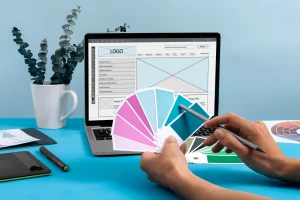
- Prepare prototypes of key pages.
- Create the design.
- Develop the website and connect the CMS.
- Configure the catalog, forms, search and filters.
- Add content or help prepare it.
- Set up the basic SEO foundation.
- Test mobile version, speed and enquiries.
- Launch the website and provide support if needed.
We do not build a catalog as a “product table in a nice wrapper”. It should be convenient for both the customer and the business team. A visitor should quickly find the right item, while the administrator should be able to add products, change descriptions, photos, specifications and categories without stress.
When a Catalog Website Can Grow into an Online Store
A catalog website often becomes the first stage. The business presents the assortment, collects requests, tests demand, builds content and observes customer behavior. Later, the task may shift toward online sales.
If the catalog is built on a solid technical base, it can be expanded into an online store with cart, payment, delivery and customer account when the business is ready for it.
Possible development steps include:
- adding a cart;
- connecting online payment;
- setting up delivery;
- creating a customer account;
- adding product comparison;
- connecting stock data;
- implementing promo codes;
- expanding product cards;
- adding reviews;
- developing the SEO structure.
It is better to think about this in advance. If the website is built without room for growth, turning it into a full online store may become almost a new development project.
That is why the future plan should be discussed at the catalog stage. Will a cart be needed later? Will online payment appear? Is product import planned? How many items may be added in a year? These answers help choose the right architecture and future website maintenance approach.
Why Order a Catalog Website from Estetic Web Design
Estetic Web Design develops turnkey catalog websites for manufacturers, suppliers, B2B companies, product brands, service businesses and trading companies. We do not start from a template. We start from the assortment logic: how the customer chooses, which parameters matter, which categories are needed, what should be in the card and how the enquiry will be handled.
The project may include structure, design, development, CMS, product cards, filters, forms, responsive version, basic SEO preparation, analytics and technical setup. If needed, we connect CRM, API, product import and other integrations.
A turnkey catalog website is not just a “product section”. It is a tool that helps the customer study the assortment, choose the right item and submit a request. For the business, it means less manual explanation, a clearer product presentation and more prepared enquiries.
If your company already has an assortment that is difficult to present through a price list, presentation or one website page, it is time to build a catalog. A well-designed catalog website turns a list of products into a clear sales system.
Leave a Reply