
Choosing a dentist isn’t like choosing a café or a store. Patients rarely visit a website “just to browse.” Usually, they already have a reason: a toothache, a need for a pediatric dentist, time to get braces, a desire for teeth whitening, interest in dental implants, or a need to find out the price. Sometimes they’re afraid. Sometimes they’re comparing options. Sometimes they’ve been putting off a visit for three months already. That’s exactly why at Estetic Web Design, we view a dental practice’s website not just as a pretty page, but as a tool designed to alleviate some of their doubts and gently guide them toward making an appointment.
And a dental clinic’s website should address this exact state of mind. It shouldn’t pressure patients. It shouldn’t scare them. It shouldn’t promise the impossible. Instead, it should calmly explain: what we treat, who the practitioners are, how much it might cost, how to make an appointment, and why it’s safe here.
Developing website for a dental clinic is not just about design and a list of services. It’s about mapping out the patient’s journey from their first question to booking an appointment. The less anxiety and uncertainty remain after visiting the site, the higher the chance that the person won’t go to a competitor.
Patients visit the website for various reasons
A dental website doesn’t have a single, one-size-fits-all visitor. One person is looking for a clinic because of sudden pain. Another is choosing an implant dentist and reading everything carefully. A third wants veneers and is looking at photos of past work. A fourth is looking for a pediatric dentist because their child is afraid to go to the dentist.
If you show everyone the same path, the website will lose some of its potential clients.
| Patient Scenarios | What to Highlight on the Website |
| Acute Pain | Quick booking, phone number, schedule, next available appointment time |
| Routine Treatment | Services, treatment stages, prices, doctor, diagnostics |
| Implantation | Doctor’s experience, technologies, treatment stages, guarantees, examples of work |
| Orthodontics | Braces/aligners options, treatment duration, consultation |
| Cosmetic Dentistry | Before-and-after photos, materials, natural-looking results |
| Pediatric Dentistry | Approach to children, atmosphere, doctor, first visit |
| Preventive Care | Cleaning, examination, recommendations, reminders |
These are the scenarios you should start with when building a dental clinic website. Don’t start with the color of the buttons; start by understanding who your patients are, what matters to them, and what actions you should encourage them to take.
First screen: The patient needs to understand where they are
The homepage of a dental website shouldn’t be cluttered. Patients don’t need a lengthy introduction to the clinic in the first 5 seconds. What’s important to them is to quickly understand: this is a dental clinic in my city or neighborhood, it offers the service I need, I can make an appointment, and the clinic looks trustworthy.
The top section should provide basic information:
- clinic name;
- city, neighborhood, or address;
- main specialties;
- appointment button;
- phone number;
- hours of operation;
- a brief trust-building fact: experience, doctors, technology, diagnostics, number of specialties.
For dental clinics, the mobile version of the first screen is especially important. People may search for a clinic on their phone in the evening, at work, on the go, or after experiencing sudden pain. If the phone number is too small, the appointment button is hidden, and the page loads slowly, the patient won’t be able to navigate it.

Creating a dental practice website starts with a list of services
A dental website shouldn’t be limited to a single “Services” page. That’s too general. Patients don’t always understand medical terms, but they know exactly what their problem is: a toothache, bleeding gums, needing an implant, wanting straight teeth, discolored enamel, or a lost filling.
Therefore, it’s better to organize services not only by medical classification but also by requests that are understandable to the patient.
The categories could be as follows:
- General dentistry;
- Root canal treatment;
- Professional cleaning;
- Teeth whitening;
- Implantology;
- Prosthodontics;
- Orthodontics;
- Periodontology;
- pediatric dentistry;
- surgery;
- gnathology;
- cosmetic dentistry.
However, each page should not simply state “we provide this service,” but rather explain when it is needed, how the appointment proceeds, how much it may cost, and what to expect after treatment.
The service page should help alleviate fears about the procedure
In dentistry, patients care about more than just the price. They’re concerned about pain, duration, results, safety, the dentist, materials, and potential complications. If a service page only provides general information, it won’t be effective.
For example, an implant page should explain the steps: consultation, diagnosis, CT scan, treatment plan, implant placement, healing period, and crown. A root canal treatment page should explain what happens during the procedure, whether anesthesia is needed, and how many visits will be required. A teeth whitening page should explain who it’s suitable for, what restrictions apply, and how long the results last.
A user-friendly service page layout:
- In brief: when the procedure is needed;
- How the treatment is performed;
- What technologies are used;
- Estimated cost;
- Which doctors specialize in this area;
- Photos of work, if applicable;
- answers to frequently asked questions;
- an appointment booking button.
It’s important to use plain language here. Patients don’t always understand what “endodontic treatment” means. But they’ll recognize “root canal treatment” right away.
A doctor on the website is more than just a profile with a name
People don’t just sign up for a clinic; they often choose a specific dentist. This is especially true when it comes to dental implants, orthodontics, pediatric dentistry, or complex treatments. That’s why a dentist’s profile should be comprehensive, not just a formality.
A dentist’s profile should include:
- a photo;
- specialization;
- experience;
- education;
- courses and continuing education;
- specialties;
- examples of work, if possible;
- patient reviews;
- the option to book an appointment specifically with this doctor.
For a pediatric dentist, you could include a few sentences about their approach to working with children. For an implantologist, mention their experience with complex cases. For an orthodontist, specify which systems they use. These are small details, but they help patients make a choice.

Online scheduling: fewer calls, fewer lost patients
The phone remains important. But more and more patients don’t want to call. They want to choose a service, a doctor, a date, and a time—and submit a request without speaking to an administrator. Especially if it’s not urgent.
Online booking should be simple. In the first step, there’s no need to ask for medical history, date of birth, email, full address, and a dozen other unnecessary details. A name, phone number, service, preferred time, and a comment are enough.
It’s good if appointments can be made from different parts of the site:
- from the header;
- from the service page;
- from the doctor’s profile;
- below the pricing section;
- below the reviews;
- from the sticky mobile menu.
If the website is connected to Dental-CRM, the request doesn’t get lost in email. It enters the system, where the administrator can see the service, the doctor, the preferred time, and the patient’s contact information. This is no longer just a form—it’s part of the clinic’s workflow.
Prices on a dental clinic’s website: to display or not to display
Many dental clinics are reluctant to display their prices. And to some extent, this is understandable: the cost of treatment depends on the diagnosis, the condition of the tooth, the materials used, and the complexity of the case. But the complete absence of prices often puts patients off.
Patients need at least a rough estimate. They don’t want to book an appointment blindly and then find out the total cost once they’re in the chair. That’s an unpleasant scenario.
You can use different formats:
| Pricing format | When to visit: |
| Fixed price | Examination, cleaning, consultation, X-ray |
| Starting at | Fillings, extractions, root canal treatment |
| Range | Implants, prosthetics, orthodontics |
| Package | Dental hygiene, teeth whitening, diagnostics |
| Custom plan | Complex cases (by appointment) |
It’s important to explain what factors influence the price. For example, the cost of root canal treatment can vary depending on the number of canals, the difficulty of access, the need for a microscope, or the need for retreatment. Patients are more likely to accept the price when they understand the reasoning behind it.
Before-and-after photos: accurate, honest, no “miracles”
A portfolio of smiles works well for cosmetic dentistry, veneers, teeth whitening, orthodontics, dental implants, and prosthetics. But you need to present this kind of material carefully.
First, only with the patient’s consent. Second, without promising that everyone will get the same result. Third, with an explanation: what was done, how long the treatment took, and what were the specific details of the case.
A good format:
- the problem before treatment;
- what was done;
- how many stages there were;
- what result was achieved;
- the dentist;
- before/after photos.
There’s no need to turn a medical website into an Instagram feed of “perfect smiles.” It’s better to feature fewer cases, but with context. It’s important for patients to understand not only the aesthetic appeal of the results, but also the professional approach.
Reviews should be based on real-life situations
Reviews on a dental website are essential, but phrases like “I liked everything, I recommend it” are hardly convincing. Reviews that include details are much more effective: what was treated, which dentist performed the procedure, what the patient was afraid of, and what they liked about the process.
For example, a review after a pediatric appointment is valuable because it shows how the child was treated. A review after an implant procedure is valuable because it describes a calm process, explains the steps, and details the result. A review after root canal treatment is valuable because the patient didn’t feel any pain and the dentist explained everything.
Reviews can be displayed:
- on the homepage;
- on service pages;
- in doctor profiles;
- next to examples of work;
- in a separate section.
The Google Reviews widget is also useful. Instead of a closed section labeled “posted on the website,” patients see external ratings and the clinic’s real-time reputation.
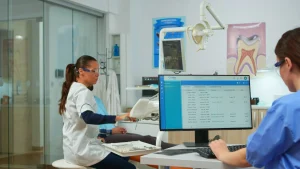
Dental-CRM: The website should assist the administrator
Dental websites are often evaluated solely from the patient’s perspective. But they also need to be convenient for the clinic. If inquiries come in via various messaging apps, email, Instagram, and phone calls, it’s difficult for the administrator to keep track of all the patients.
Integration with Dental-CRM helps connect the website to internal processes:
- appointment scheduling;
- doctor calendars;
- electronic patient records;
- reminders;
- visit history;
- 3D images;
- dental charts;
- follow-up visits;
- contact analytics.
Automated SMS or email reminders reduce the number of missed appointments. And for a dental practice, this translates to real money: an empty chair in a doctor’s schedule is costly.
Promoting a dental website: location makes all the difference
Patients often search for dentists nearby: by neighborhood, subway station, city, or “near me.” That’s why local visibility is crucial for a dental clinic. This includes not only the website but also the Google Business Profile, map, reviews, photos, hours of operation, and a current phone number.
SEO promotion for dental clinics is best approached from several angles:
- service pages;
- doctor profiles;
- local search queries;
- articles addressing patient questions;
- reviews;
- map and contact information;
- internal linking;
- a fast mobile version.
The search term “dentistry” is too broad. However, terms like “dental implant prices,” “pediatric dentist in my area,” “teeth whitening clinic,” and “root canal treatment under a microscope” are much closer to what people are actually searching for.
When building a dental website, this should be taken into account from the start. If the site’s structure is weak, it will be more difficult to promote later on.
Advertisement: Patients should be directed to a specific page
Contextual advertising in dentistry can generate quick leads, but only if the landing page matches the search query. If someone is looking for dental implants, they should be directed to the implants page. If they’re looking for a pediatric dentist, they should go to the pediatric dentistry page. If they’re looking for teeth whitening, they should be directed to the teeth whitening page, not the general homepage.
The landing page should include:
- the specific service;
- the price or price range;
- the dentist;
- the steps of the procedure;
- photos or examples of work, if applicable;
- FAQ;
- reviews;
- an appointment buttons.
Otherwise, the ad drives traffic, but the website fails to convert it into an appointment. This is particularly noticeable in dentistry: the patient needs to quickly understand that the clinic addresses their specific issue.
Mobile version: People don’t just visit the site from home
People often visit dental websites on their phones. Sometimes when they’re in pain. Sometimes after a recommendation. Sometimes right outside the clinic to check the schedule. That’s why the mobile version needs to be very simple.
The following features should be available on mobile:
- one-click call;
- online booking;
- address and map;
- services;
- prices;
- doctor;
- reviews;
- messaging apps;
- schedule.
Buttons should be large, forms should be short, and pages should load quickly. If a patient has to zoom in with their fingers, search for a number buried deep in the menu, or wait for a gallery to load, they will leave.
Security and stability: a medical website cannot afford to “occasionally go down”
On a dental clinic’s website, people submit personal information: their name, phone number, and sometimes a description of their issue. This means you need SSL, form security, backups, access control, CMS updates, and reliable hosting.
The website must also function reliably outside of business hours. A patient might search for a clinic at night, on a weekend, or before a holiday. If the site is unavailable, they’ll simply find another dental clinic.
Technical support after launch is just as important as the development itself: form validation, updates, speed, backups, error monitoring, and ensuring integrations with CRM and analytics work properly.
What features does a dental website really need?
Don’t turn your clinic’s website into a clunky portal with dozens of unnecessary features. The functionality should be tailored to the size of your clinic.
| Features | When to use it: |
| Online Appointments | Almost always |
| Doctor Profiles | If the clinic has multiple specialists |
| Pricing and Plans | For transparency and to lower the barrier to booking |
| Before-and-After Gallery | For cosmetic dentistry, orthodontics, and dental implants |
| Dental CRM | For clinics with a high patient volume and multiple doctors |
| Personal Account | For comprehensive treatment and follow-up visits |
| Multilingual Support | For clinics that treat international patients |
| Live Chat | If the administrator actually responds quickly |
Features for the sake of features are unnecessary. If there’s a chat feature but no one responds, it’s frustrating. If there’s a “About Us” page but it’s empty, it’s useless. If a portfolio lacks explanations, it’s just a collection of photos.
A good dental clinic website isn’t just about a pretty design. It explains the services, showcases the doctors, helps patients choose a procedure, alleviates anxiety, provides a price guide, displays reviews, and allows for quick appointments.
When creating a website for a dental clinic, it’s important to consider real-life patient scenarios: emergency pain, routine care, cosmetic dentistry, pediatric care, implants, orthodontics, and preventive care. Each scenario requires its own unique path, its own content, and its own next step.
A dental clinic’s website becomes more effective when it’s integrated with scheduling, CRM, reminders, analytics, and local marketing. Then it doesn’t just look modern—it helps the clinic fill its schedule and bring patients back for follow-up visits.
Leave a Reply